


|
|
|
|
|
|
|
| |
| 17-SEP-2006 | blk |

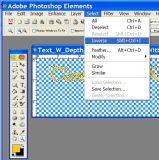
Now it is necessary to inverse the selection and feathering applied in the last step. Because the text was originally selected the feathering is happening inside the boundary of the selected text. To achieve the effect of shadow depth in a line of text the feathering shadow color must be applied outside the selected text boundary. This is accomplished by picking INVERSE from the SELECT menu.
Note: this is a good place to save your work. I like to save my work as I progress under different file names so I can go back to a specific point in the process if needed.
©2011 by P. Guttenberg - all rights reserved. Please do not reproduce, alter, or use without prior permission.