


|
|
|
|
|
|
|
| |
| 17-SEP-2006 | blk |

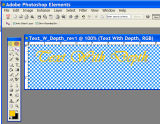
Enter the line of text you desire. I use Vivaldi font in this example. Select the size and other attributes you desire now. Text while it exists in a layer can be changed at any time with an important exception. When a text layer is “simplified” the text attributes will no longer be editable, i.e. size, font, bold, etc… The process of adding semi-transparent shading will require simplifying the text layer. (There are a few more steps before we simplify the text layer) This is important to understand to avoid rework later.
©2011 by P. Guttenberg - all rights reserved. Please do not reproduce, alter, or use without prior permission.