


|
|
|
|
|
|
|
| |
| 05-JUN-2006 | |
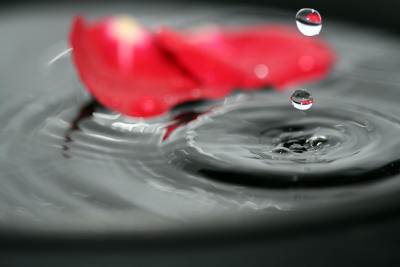
Since I was already asked for few times if I have used Photoshop to adapt the image, I will explain how I did it.
I took a pot that has dark grey inside color and put a white paper in the background.
This is how I achieved that the water has this “grey” color.
The focus was done manually and flash was used. The rose petals were “just swimming” on the water.
Photoshop I only used to resize the images.
So, there you go, simple as it is :) Happy shooting!
Sabina
Copyright © Sabina Salihbasic 2005-2017
| comment | |
| Guest | 15-Nov-2007 20:19 | |
| Guest | 19-Aug-2007 08:42 | |
| Kees Terberg | 30-Jul-2006 11:36 | |
| Guest | 08-Jun-2006 22:48 | |
| arminb | 07-Jun-2006 18:01 | |
| Guest | 07-Jun-2006 05:21 | |