


|
|
|
|
|
|
|
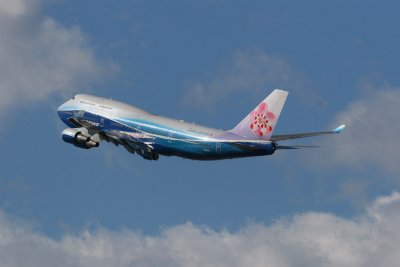
| |
| 24-FEB-2007 | |
Here is another way to shoot and edit.
DIGITAL WORKFLOW for photographing AIRCRAFT.
The first thing you need to do is shoot in 100 ISO...and AV mode at F-8 or F-
7.1.....Only go lower when the light is not good.
(I don’t know how to do this on a Nikon. On a Canon it is called parameters
and the user can set up to 3 custom settings.)
Set the sharpening to -1 (you will use Photoshop to sharpen later). Saturation
to +1 and color tone to 0.
Set the Metering mode to partial And also set your exposure compensation to -1
/3 always. A D-SLR almost always over-exposes.
Now to the processing this is what I do in order.
(Back up the photos to a CD just incase you save instead of SAVE AS.)
The photo needs to be free of motion blur and fairly sharp from nose to tail.
(This comes in handy on most photos that you will take. This work flow will
make them POP!)
1. Open Picture Rotate if not level (Check light poles and buildings) There
are several ways to rotate the photo level.
2. Crop Resize to 1024 wide x 683 high @ 72 resolution. Photoshop has a way to
keep the deminsions ratio.
2a. Add a bump of color by CTRL ALT U then add 15% saturation.
3. USM (Filter-Sharpen-USM) Amount: 500% Radius: .2 and Threshold: 0
3a. Repeat the USM Filter. This may produce JAGGIES. If this happens you can
make a layer and erase the jaggies then flatten it.
4. Then push CTRL L THEN ALT T - Options-Find light and dark colors
Shadows should be set at 0.00 Highlights at 0.20 (Check SAVE AS DEFAULT if you
like the setting) click OK then OK Some times this makes the overall brightness
of the picture better sometimes it does not. Remember you can always go back
(Edit-Go Backwards)
Then Save As I always make a file number like this
06feb06123n480ev.jpg
Date file number and Reg.Number
This info was learned and handed down to me. Any more questions please ask?
© Wayne Cowan