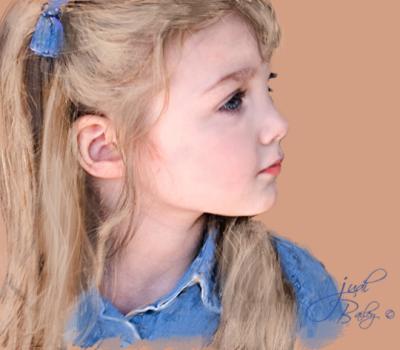
Charcoal Sketch:
l. duplicate the background to have a spare...and
do all levels. etc, --and for a more painted effect, try smart blur 17/15 medium, normal--- and blend with darken..
This is the picture that you will be "painting back"...
2. Pick a slightly dark flesh tone (don't know the numbers)...and place an empty layer above the duplicated background layer and fill with the colour...
3. Add a mask and make sure black is the foreground colour on the colour squares in the tool box....
4..Go to your brush menu under dry brushes and pick the soft oil pastel, also try the others small pastel on charcoal paper, etc...
5. Lower your opacity on the colour layer so you can see a bit of the picture......
6. Using the pastel brush set at around 50 opacity..start to color in the image...going around the edge with a small size brush , then enlarging for the larger areas...raise and lower your opacity on the colour layer to check your work.... touch up by changing the colour back to white in the tool box.......going back and forth between the black and white,,,,,you should get just the edge you want....also going over the same area keeps increasing the saturation, so you can accent some of the areas....It's a lot of fun...would like to see some of you guys try....:-))