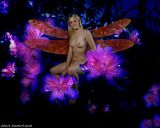
Finished!
When you have the shadows burned in, … (on this one I burned some shadows on her wings, under her wings, and along each hand,) …you go back up to the “Layer” tab and all the way at the bottom you choose “Merge Visible.” This combines the entire image back again to one single image. You would then save the image.
Make a hard print of the image using high quality photography print paper.
Matt and frame your image.
Display it with pride!
Send me a copy!
When I first started doing transformations, to do one as complex as this one, it would have taken me almost four hours to complete. This one only took me about 48 minutes from start to finish as over time I have become more practiced. If you plan to do these transformations to sale to a client though, you will need to figure out what to charge for both the time and the talent needed to complete the image.
Simple isn’t it! (Grin)