


|
|
|
|
|
|
|
| |
| 21-JUN-2005 | |
Now create a selection using the just modified selection channel, feather it by 1 pixel,
and then darken the selection using Curves until the sky is as dark as you like.
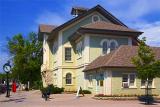
This image shows how I darkened the sky, using the same selection to increase the sky
contrast to brighten the clouds a bit.
An alternative way to use the same basic process to get selections derived from colors
other than Red, Green, or Blue is to temporarily change the image mode to CMYK,
which gives the option of making a selection based on Cyan, Magenta, Yellow, or Black.
Copyright © Gordon L Wolford - To purchase, click here.