


|
|
|
|
|
|
|
| |
forum discussion: http://forums.dpreview.com/forums/read.asp?forum=1006&message=30617769
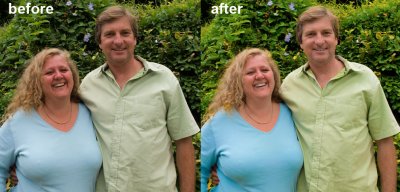
Original image by Renata (left side)
I opened the image in ACR and made preliminary adjustments for skin tones. Open the image as a smart object. Then create New smart object via copy.
Take the new smart object back to ACR to make the clothing more vibrant. Add a mask to this layer and hide all but the clothing.
Then I assigned the Color match profile to the image, followed by Converting back to sRGB. This seems to give me pleasing colors and contrast for portrait faces.
To restore the brighter colors in the clothing, I used the History brush with a history state just before the profile change.
© Joseph E. Filer