You will need to open a new file.
File, New, Blank File (name as matte 1), preset size to Custom. I want a 1" border around my 4x6 image so I have entered size as 5x7, Resolution at 300 pix per inch, background contents I choose white. Click okay.
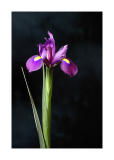
Click your Move tool and click on the flower image/file. Select All, click Ctrl-C (to copy image), click on your Matte 1 file (the blank file you have created). Now Press/hold Ctrl and the v key. This will copy your image (my flower) image onto the Matte 1 file and center it.
Click under layers pallete on background image. Select All.
Edit, Stroke/outline, 2px (pick the size you want, I have used 2 px) and set your color (I have used gray), set to Inside. Crtl-D to deselect. Your image should now look something like this. Proceed to Border 3