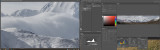
Here is a screen-shot of a panorama in Photoshop.
In an era of cameras and pano software that create images with huge numbers of pixels, one of Photoshop's simplest, yet incredibly useful features, is the 'Navigator'.
No matter the size of the document image it is always rescaled to fit within the boundaries of the Navigator screen.
If we are editing a section of our working image, a red box will appear on the navigator screen corresponding to that area. This helps us view where that working screen image is in relation to our entire document.
A small working section is on the left. Panning right brings us to the Navigator screen. We are viewing at 100% but when editing fine detail at many hundreds of %, the navigator will still orient us as to where we are.