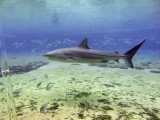
Used the "Mandrake" process.
1) create 3 duplicate layers of the original photo.
2) Make the middle duplicate layer active and fill it with 50% gray (Edit->Fill->50% Gray, 100% opacity, normal)
3) Make the top duplicate layer active and change its blending mode to 'Luminosity'. Merge it down into the middle (gray) layer. You now have a b/w image of your original photo in this layer.
4) Create a new fill layer above this b/w image (Layer->New Fill Layer->Solid Color). Check 'Group with Previous Layer'.
Fill this layer with red (R: 255, G: 0, B: 0). Change this layer's blending mode to 'Multiply', and then merge it down into the previous layer (the b/w image).
You've now got a red photo.
5) Change the blending mode of the red photo to 'Screen' and merge it down into the first duplicate layer.