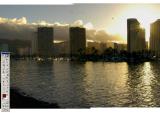
OK Now use a soft edged erasure brush to erase the leading edge so to blend it in with the back layer. I erase finger shapes so the pic blends better. You can only use the area of overlap. If you erase into the background white then undo. Use a size brush as is appropriate with each element of the picture. I used a medium brush on the sky, sometimes it blends better if you back off on the opacity and use more strokes. I used a small brush along the builing edges so as to leave that edge. I used a bigger brush on the water. Use smaller strokes so it is easier to undo if necessary.