|
How do I delete a passkey?
Instructions below describe how to delete a passkey from a gallery.
Begin by clicking the "edit this gallery" link found towards the top of the page.

Next, in the 'password protection' section, click the link "edit passkeys".

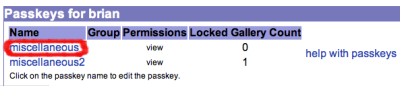
Click the name of the passkey you want to delete.
Now, click the button "Delete Passkey".

You will be asked to confirm whether to delete the passkey. |
|
|
to_do
-
- The directions below describe how to set pieces of information for many images at once. Begin by clicking the "edit this gallery" link for the gallery you want to edit. Scroll down to the "Make changes to the images within this gallery" section. Check the boxes next to the images you want to edit. Next, scroll down to the "Batch Update Selected Images in this Gallery" section. Here you are able to use the batch update command to set pieces of information for the images you selected at once.... (more)
|
|
|
contribute to the help pages
|


