


|
|
|
|
|
|
|
| |
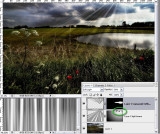
Elaborating on tutorial by Pam R
I followed her steps to create basic beams:
New image, fill with 50% gray, add noise 400%, motion blur applied twice.
Then, my suggestions:
Use levels to greatly increase the contrast
Add some broader beams of white with brush and the shift key to constrain vertically
Gaussian Blur the image BEFORE pasting it into the scene. This way, the distortion
with free transform will also increase or decrease the blur.
Add a radial mask originating at the position of the sun to fade the beams
Paint in a few areas to correspond to holes in the clouds.
forum discussion: http://forums.dpreview.com/forums/read.asp?forum=1006&message=24750272
original image by Mario:
© Joseph E. Filer