photo sharing and upload picture albums photo forums search pictures popular photos photography help login
Joe Filer | all galleries >> Galleries >> DPReview, Volume 1 to 11/11/2007 > wedding-blur.jpg
previous | next

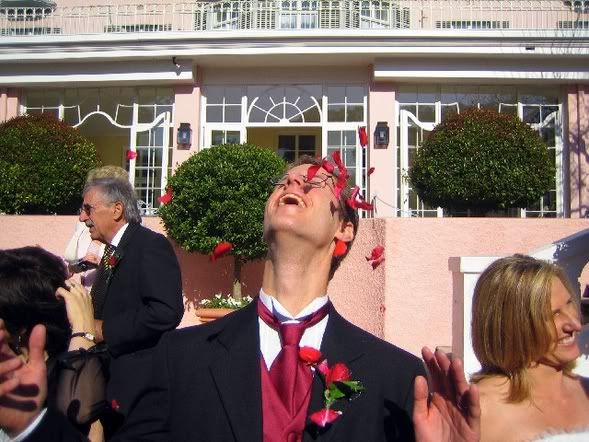
wedding-blur.jpg

Duplicate background image and apply lens blur.
Add layer mask to reveal the sharp subject in original image.
To eliminate ghosting around the mask edges,
use the Liquify filter on the blurred image. Using a small brush,
push the halo until it is hidden by the layer mask.


original image by Drew
forum thread link http://forums.dpreview.com/forums/read.asp?forum=1006&message=16631273


other sizes: small medium large original auto
share
Type your message and click Add Comment
It is best to login or register first but you may post as a guest.
Enter an optional name and contact email address. Name
Name Email
help private comment