


|
|
|
|
|
|
|
| |
 |
|
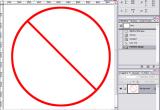
Way to make a "No" sign that has finer lines than the symbol in the Shapes tool selections.
1. Create a perfect circle with the Elipse tool while holding down the shift key
2. Stroke the circle selection (I used 10 pixels) with desired color
3. Use the Line tool, selecting size to match the circle stroke (10 pixels) with "shape layers"
selected in the option bar.
Hold down the shift key to draw a 45 degree line and move it into position by also holding
the shift key.
4. Flatten the line layer with the stroke circle layer.
© Joseph E. Filer