


|
|
|
|
|
|
|
| |
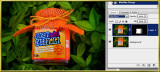
I duplicated the image layer and changed the duplicate layer's blending mode to one from the "darkening" group. Color Burn seemed to give me the cleanest appearance in the area of the bottle's label.
You can tweak the effect by using the layer styles "blend if" sliders.
Finally, I added a black layer mask to the duplicate layer and softly revealed only the portion of the image where the glare obscured the label.
forum discussion: http://forums.dpreview.com/forums/read.asp?forum=1006&message=38614875
original image by dadoo_1600:
© Joseph E. Filer