


|
|
|
|
|
|
|
| |
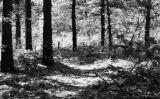
You have to have an animation program to do this. Mine is an extension of PaintShop Pro9.
I start in my photo program and first I open the original and resize it to 700. Then I copy and
paste as a new image twice. Then change one it to black and white (For this you either have to
use the color remover in the color enhancement or a black and white program because it won’t work using grayscale)
Then I save the black and white as No1 Then I copy the black and white and paste it
over the color. Using the eraser I lower the opacity to about a 6 and erase a corner. Save as No2.
Copy the full color again and paste as new image copy No2 and past over the full color,
erase the corner some more and a new strip of color save as no 3. I repeat those steps until I’ve done 6 then No 7
would be the full color, I enhanced the color just a little on that to
make it pop. Then I open the animation program.
Copy number 1 (the black and white) and paste as first frame. Then No. 2 etc.
until I’ve inserted all 7 frames in order. Then I go to Edit at the stop and Select all.
Then I go to animation and down to Frame Properties and raise it from 10 to 350.
I take it off select all and select only the last one and push up the frame properties to 8500 so the color picture stays for a while.
I open the animation
to make sure everything is running smoothly and that’s it.
I save it and it’s all ready to upload. Hope this is helpful.
Actually it's easier to do than to write it out and make it understandable on here.
I don't understand why I have to keep making sentence breaks to make this fit
the box so nobody has to keep scrolling back and forth.
Photos have been Copyrighted please do not download or use without permission
Please login or register.